
Standing out online as a cannabis dispensary owner can feel impossible when paid ads are restricted across platforms like Google and Facebook. Without those options, your visibility on Google Maps becomes a lifeline for attracting local customers. Consistent, strategic optimization of your Google Business Profile and website content empowers dispensaries in the United States and Canada to claim the top spots when customers search nearby. This guide reveals actionable steps for advancing your Google Maps optimization for cannabis businesses and turning search results into real foot traffic.
| Point | Details |
|---|---|
| Optimize Your Google Business Profile | Claim and fully complete your Google Business Profile to enhance visibility and relevance. Ensure consistency in Name, Address, Phone (NAP), and Website (W). |
| Focus on Local SEO Content | Create location-specific content that addresses local cannabis interests and keywords to attract customers effectively. |
| Manage Customer Reviews Strategically | Encourage genuine customer reviews, respond promptly, and maintain engagement to strengthen your online reputation and prominence. |
| Adhere to Legal and Policy Regulations | Always comply with Google’s cannabis-specific policies and local regulations to avoid profile suspension and legal penalties. |
Google Maps has become the digital storefront for cannabis dispensaries. Unlike traditional retail businesses that can run paid ads freely, cannabis dispensaries face severe advertising restrictions on Google, Facebook, and other major platforms. This limitation makes organic visibility through Google Maps absolutely critical for your survival. When customers search “dispensaries near me” or look for specific strains and products, your Google Maps presence determines whether they find you or a competitor. The stakes are simple: no visibility on Google Maps means potential customers never discover your location, hours, or products.
The foundation of effective Google Maps visibility starts with strategic Google Maps optimization for cannabis. Your Google Business Profile is not just a listing, it’s your primary marketing tool. You need to claim and fully optimize your profile with complete information starting with your Name, Address, Phone number, and Website (NAP-W consistency). Every field matters. Choose the correct business categories from Google’s approved cannabis-related options. Add high-quality, compliant photos that showcase your dispensary interior, staff, and products within regulatory guidelines. Upload posts regularly about new inventory, local events, or educational content about cannabis. Encourage customers to leave verified reviews, as review volume and ratings directly impact local rankings. Maintain citations across other local business directories like Waze, Apple Maps, and cannabis-specific platforms to reinforce your NAP-W consistency across the web. For dispensaries with multiple locations, create dedicated Google Business Profile pages for each location and develop location-specific landing pages on your website to avoid ranking conflicts.
Beyond the profile itself, local SEO requires strategic content creation that targets the specific way people search for cannabis in your area. Create blog posts and location pages that target local keywords like “cannabis dispensary in [City Name],” “buy [strain type] near [neighborhood],” or “best flower selection in [region].” These pages should provide genuine value, discussing local cannabis culture, education about product types, or community information, rather than pure sales pitches. Google’s algorithm favors content that answers real customer questions and demonstrates local expertise. When you combine proper Google Business Profile optimization with location-based website content and consistent citations, you signal to Google that you’re a legitimate, trustworthy local authority for cannabis products. The consistency signals matter enormously because Google crawls these data points across the web to verify your legitimacy. One final note: strict adherence to Google’s cannabis-specific policies prevents suspensions that could take your listing offline entirely. Avoid making health claims, don’t post content about products designed for minors, and stay within your state’s legal definitions of cannabis products.
Pro tip: Monitor your Google Business Profile insights weekly to see which photos customers interact with most, what search queries bring people to your listing, and which directions requests come from your area—then double down on content types that drive the most engagement.
Google Maps doesn’t rank businesses randomly. Behind every search result sits a sophisticated algorithm that weighs multiple factors to decide which dispensaries appear at the top. Understanding this ranking system changes how you approach optimization. Instead of guessing what Google wants, you can strategically build your dispensary’s presence across the specific signals that actually move the needle. The three primary factors that determine your Maps ranking are Relevance, Proximity, and Prominence. These aren’t abstract concepts—they’re measurable elements you can optimize directly.
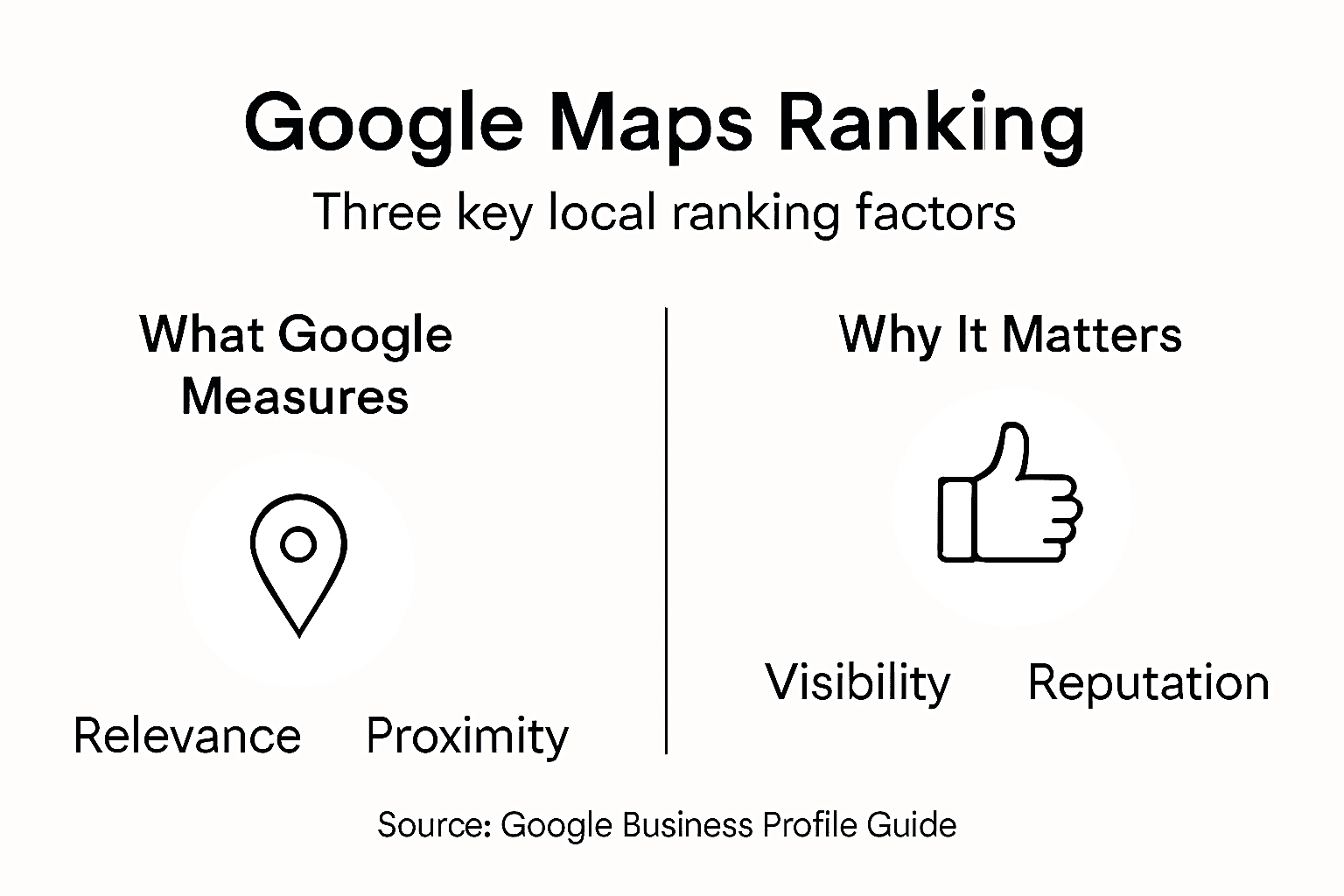
Relevance is about matching. When someone searches for “cannabis near me” or “dispensary open now,” Google analyzes your Google Business Profile to determine if your business fits what they’re looking for. This happens through your business categories, the keywords in your profile description, the content you post, and the reviews customers leave about your products. If your profile says you specialize in edibles and flower but not concentrates, Google learns that and ranks you accordingly for those specific product searches. The more precisely your profile matches what customers search for, the higher your relevance score. This is why choosing the correct business categories and keeping your information current matters so much—it’s literally how Google understands what you sell.
Proximity is straightforward. Google measures the distance between your dispensary’s location and where the customer is searching from. A customer in downtown Boston will see different results than someone in Cambridge, even though you’re only miles apart. Proximity is largely fixed based on your actual address, but this factor explains why dispensaries benefit from creating separate Google Business Profile listings for each physical location. If you operate multiple shops, you need multiple optimized profiles so each location can rank independently for nearby searches. How Google ranks dispensaries locally depends heavily on balancing proximity with the other two factors, which means a nearby dispensary with weak relevance might still lose to a slightly more distant competitor with stronger signals.
Prominence is where most dispensary owners struggle. Prominence reflects your business reputation and online authority. This includes review volume and ratings, backlinks from reputable websites pointing to your dispensary, citations in online business directories, your domain authority, social media signals, and offline reputation factors. Think of it this way: Google wants to show customers businesses that other people trust and recommend. A dispensary with 200 five-star reviews will rank higher than one with 5 reviews, assuming both have similar relevance and proximity. Prominence builds over time through consistent effort—encouraging customers to leave reviews, earning backlinks from cannabis industry sites or local news coverage, and maintaining your presence across multiple local directories. This is where the long-term investment in your brand reputation pays off.
These three factors work together dynamically. You can’t rely solely on proximity and hope to rank. A competitor further away but with better relevance and stronger prominence will beat you. Conversely, outstanding prominence won’t overcome being in the wrong service area. The algorithm balances all three continuously, which is why successful dispensaries optimize across all dimensions simultaneously. Your Google Business Profile optimization directly impacts relevance. Building a solid review strategy strengthens prominence. And your physical location determines proximity. By treating these three factors as interconnected pieces of a single strategy rather than separate initiatives, you position your dispensary to rank consistently.
Here is a summary of how Google’s Maps ranking factors interact for cannabis dispensaries:
| Factor | What It Measures | How It Impacts Visibility | Ways to Maximize |
|---|---|---|---|
| Relevance | Profile matches search intent | Appears for correct keywords | Use accurate categories and local keywords |
| Proximity | Physical distance to searcher | Shows up for local searches | Create listings for each location |
| Prominence | Reputation and online authority | Ranks higher for trusted brands | Gather reviews and build backlinks |
Pro tip: Pull your dispensary’s search ranking data monthly by searching key local terms on Google Maps and documenting which position you appear in—track this alongside your review count and website traffic to see which prominence-building activities correlate with actual ranking improvements.
Optimizing your dispensary on Google Maps isn’t a one-time task. It’s a system of interconnected actions that work together to build your visibility and authority. The good news is that the steps are straightforward and actionable. You don’t need advanced technical knowledge or expensive tools to execute them effectively. What you need is a clear roadmap and consistent execution. The most successful dispensaries treat Google Maps optimization as an ongoing priority, not something they do once and forget about.
Your first step is non-negotiable: claim your Google Business Profile if you haven’t already. Search for your dispensary on Google Maps and look for the option to claim or manage your listing. If your listing doesn’t exist, create one immediately. Once claimed, fill out every single field completely and accurately. Add your full business name exactly as it appears legally. Include your complete address and phone number. Add your website URL. Upload your hours of operation and make sure they’re current, because nothing frustrates customers more than arriving at a closed dispensary. Choose your primary business category carefully—Google offers cannabis-specific categories that tell the algorithm exactly what you do. Add 5-10 secondary categories if they apply (like “retail store” or “local business”). Write a compelling business description that includes keywords customers actually search for, like your location, product types, and key services. This description appears in your listing and signals relevance to Google.
Photos matter enormously. Upload 10-15 high-quality images showing your dispensary interior, product displays, staff, and the storefront exterior. Photos drive clicks from the Maps listing to your website, and they influence ranking signals through engagement metrics. Avoid blurry images or stock photos. Real photos of your actual dispensary build trust with customers and perform better algorithmically. Add photos regularly, at least once per week. When customers see a constantly updated photo gallery, they trust you’re an active, legitimate business.
Reviews are prominence signals. Google weighs review volume, ratings, and recency when ranking businesses. A dispensary with 150 reviews will almost always outrank one with 15 reviews, assuming similar relevance and proximity. Your job is to systematically encourage customers to leave reviews after purchases. This doesn’t mean pressuring or incentivizing fake reviews, which violates Google’s policies and risks suspension. Instead, make it easy for legitimate customers to leave feedback. Include review request cards with purchases. Send email follow-ups after transactions asking for honest feedback. Respond promptly to every review, both positive and negative. When you respond professionally to negative reviews, you show potential customers that you care about fixing problems. Respond to positive reviews with gratitude and specific mentions of what the customer appreciated. This engagement signals to Google that your business is active and customer-focused.
Your website’s local landing pages directly impact Google Maps rankings. Create dedicated pages for each location that target keywords like “cannabis dispensary in [City Name]” or “buy [product type] in [neighborhood].” These pages should be genuinely informative, discussing local cannabis education, community information, or product details relevant to that region. Link back to your Google Business Profile from these pages to reinforce local signals. Beyond your own website, build citations in reputable online directories. This means getting your NAP-W (Name, Address, Phone, Website) listed consistently across local business directories, cannabis-specific platforms, and industry review sites. Consistency is critical. If your address appears differently across directories, Google gets confused about which information is accurate. Audit your existing citations quarterly to catch discrepancies.
Optimization doesn’t stop after launch. Check your Google Business Profile insights monthly. See which search queries bring customers to your listing. Track which photos get the most views. Monitor your review trends and respond to new reviews within 48 hours. Use this data to refine your strategy. If customers are searching for specific products you don’t highlight enough, add them to your profile description. If certain photos drive more engagement, replicate that style with new images. Successful dispensary owners treat their Google Business Profile as a living document that evolves based on real customer behavior.
Pro tip: Create a simple spreadsheet tracking your weekly review count, monthly keyword rankings for 5-10 local search terms, and photo upload dates—this forces accountability and reveals which optimization efforts actually drive visibility improvements over time.
Google Maps optimization for cannabis dispensaries operates within a complex legal and regulatory environment that varies significantly across North America. Unlike traditional retail businesses, cannabis dispensaries face unique restrictions on advertising, content, and business operations that directly impact how you can optimize your online presence. Understanding these restrictions isn’t optional. Violating Google’s cannabis policies or local regulations can result in your Google Business Profile suspension, which essentially removes you from local search results overnight. Your dispensary could become invisible to customers searching for you by name, let alone by product type or location. This section outlines the key restrictions and policies you must follow to maintain compliance while building visibility.
Google has established explicit policies governing cannabis business listings. First, your business must be legal in your jurisdiction. If you operate in a state or province where cannabis sales are legal and you hold proper licenses, you’re eligible for a Google Business Profile. If you operate in a gray area or without proper licensing, Google may suspend your listing. Second, you cannot make health or medical claims in your profile, posts, or photos. Statements like “CBD cures anxiety” or “cannabis treats pain” violate Google’s policies. You can provide factual information about product types, cannabinoid content, and general cannabis education, but you cannot make claims that suggest medical benefits. Third, your content cannot appeal to minors. This means no youth-oriented language, imagery, or messaging. Your product photos must show adult-oriented presentation. Fourth, you cannot advertise products that Google deems illegal, such as drug paraphernalia designed for illegal drugs, even if the paraphernalia itself is technically legal in your location.
Google also restricts certain business categories and services you can claim. You must use only Google-approved cannabis business categories. Don’t try to game the system by listing your dispensary as a “gift shop” or “wellness store.” Google’s algorithm catches these misclassifications and can penalize or suspend your listing. You cannot use your Google Business Profile to sell products directly through the platform. Photos and posts can showcase your products, but they cannot function as ecommerce listings with checkout functionality. Additionally, you cannot include links in your Google Business Profile that direct customers to external ecommerce sites selling cannabis products, though you can link to your own website’s informational content about products.
Beyond Google’s policies, your local and state regulations create additional boundaries. In jurisdictions where cannabis is legally regulated, operators must comply with strict licensing requirements, packaging standards, advertising restrictions, and age verification protocols. Some states prohibit any digital advertising of cannabis products entirely. Others allow websites and maps listings but restrict paid advertising. A few states maintain toleration policies for cannabis businesses, setting specific operational conditions that affect how you present your dispensary online. You must research your specific state or provincial regulations and ensure your Google Maps optimization, website content, and marketing materials align with those rules. What’s legal in Colorado may violate regulations in Massachusetts. What works in California might be prohibited in Canada. This variation is why generic marketing advice often fails for cannabis businesses.
Specific restrictions commonly include prohibitions on marketing to specific demographics, restrictions on product photography, limitations on where and how you can advertise online, and strict requirements around health and safety claims. Some jurisdictions prohibit you from displaying product names or images online entirely. Others require age verification before customers can view certain content. A few states have established that online cannabis marketing must include mandatory warnings about product potency, health risks, or legal status. Before you publish anything on your Google Business Profile, review your state’s cannabis advertising regulations with your legal counsel. The cost of a one-hour consultation is minimal compared to the cost of losing your Google listing or facing regulatory penalties.
When creating content for your Google Business Profile, stay conservative. You can post about product availability, new strains arriving, store hours, events, educational content about cannabis consumption methods, and information about your dispensary’s commitment to compliance. You cannot post content that glorifies cannabis use, targets youth, makes medical claims, or violates local advertising restrictions. Photos should show your storefront, interior environment, and staff in professional contexts. Avoid photos that suggest recreational use or depict consumption. If you operate in a jurisdiction that allows product photography, keep images straightforward and professional. Avoid lifestyle imagery that presents cannabis use as aspirational or fun.
Pro tip: Before writing any Google Business Profile post or uploading any photo, ask yourself: “Would I feel comfortable showing this to a regulator or prosecutor?” If the answer is no, don’t post it—compliance always comes before optimization.
Google Maps violations for cannabis dispensaries carry real consequences. This isn’t a gray area where you can test the boundaries and hope for the best. One mistake can result in your listing suspension, which removes you from search results entirely. Your competitors continue showing up. Your customers can’t find you. Your phone stops ringing. And recovering from a suspension is far harder than preventing one in the first place. Beyond Google’s enforcement, cannabis dispensaries also face regulatory risks from state and local authorities. These risks operate on two levels: platform-level penalties from Google, and legal-level penalties from government regulators. Understanding both helps you navigate safely.
Google suspends cannabis business listings for specific violations. The most common trigger is making health or medical claims. A single post saying “CBD helps with sleep” can trigger suspension. Another frequent cause is posting content that appeals to minors, such as bright colors, cartoon imagery, or youth-oriented language. Misrepresenting your business category, such as listing a dispensary as a “gift shop” to avoid cannabis classification, results in suspension when Google catches the deception. Linking to illegal products or content violates policies. Posting customer reviews that contain health claims or illegal content reflects poorly on your compliance even though you didn’t write them, so monitor and respond to reviews carefully.
When Google suspends your listing, you lose local visibility immediately. Customers searching for your dispensary by name may still find your website, but they won’t see your location, hours, or directions on Google Maps. Potential customers searching “dispensaries near me” won’t see you. Your reviews disappear. Your photos vanish. The suspension can last weeks or months while you appeal and provide evidence of compliance corrections. Some suspensions are permanent. The appeals process requires documented changes to your profile, written explanations of policy violations, and sometimes legal verification of compliance. During suspension, your competitors gain market share. Customers form habits of visiting other dispensaries. Recovery is possible but disruptive and costly in lost revenue.
Beyond platform enforcement, state and local regulators monitor cannabis business compliance carefully. Cannabis compliance risks include fines and license suspensions when dispensaries violate advertising regulations, fail to maintain proper records, or make prohibited claims about products. Some states impose fines ranging from thousands to hundreds of thousands of dollars for serious violations. License suspension means you cannot legally operate your dispensary. License revocation means your business closes permanently. These aren’t abstract threats. State cannabis enforcement boards actively audit dispensary websites, social media, and Google listings for violations. They cross-reference online claims against your actual inventory and licensing documentation. A claim that you sell products you don’t actually carry, or marketing claims that exceed your license scope, triggers audits and penalties.
Financial compliance errors create additional risk. Improper tax reporting, cash handling violations, or failure to follow track-and-trace requirements like Cannabis Tracking System (CTS) compliance in some states can result in fines and license review. These administrative violations compound quickly. A single advertising violation might cost five thousand dollars. A record-keeping error might cost more. A pattern of violations accelerates toward license suspension. The cumulative cost of penalties and legal fees can exceed the profit from months of operation.
Below is a reference table outlining typical legal compliance risks and their business impacts for cannabis dispensaries:
| Risk Type | Examples | Possible Penalty or Impact | Prevention Method |
|---|---|---|---|
| Platform Violation | Health claims, appealing to minors | Google Business Profile suspension | Monitor posts/reviews, staff training |
| Regulatory Violation | License error, false claims | Fines or loss of business license | Review local laws regularly |
| Financial Noncompliance | Tax/reporting mistakes | Monetary penalties, audits | Maintain accurate records, audit quarterly |
Most dispensary owners make predictable mistakes when optimizing Google Maps presence. They rush to publish content without reviewing local regulations. They copy marketing language from other dispensaries without checking if that language violates policies. They allow staff without compliance training to post on the profile. They ignore negative reviews that contain violations, assuming customer posts don’t reflect on them. They update their profile inconsistently, creating NAP inconsistencies that confuse Google’s algorithm. They upload product photography that violates local advertising standards. They make claims about product effects without realizing those claims cross into medical territory.
The antidote is systematic. Create a compliance checklist for all Google Business Profile updates. Have a designated person responsible for profile management. Implement a review process where you check every post, photo, and comment against both Google’s policies and your state’s regulations before publication. Document your compliance process. Train your staff on what can and cannot be posted. Review your local regulations quarterly since they change. Audit your profile monthly for violations or problematic customer reviews. Maintain records of all changes, approvals, and compliance decisions. This documentation protects you if regulators inquire about your practices.
Pro tip: Create a shared document outlining your state’s specific cannabis advertising regulations and Google’s policies side by side, then have every team member sign an acknowledgment that they’ve reviewed it before anyone gets profile access.
Navigating the complexities of Google Maps optimization for cannabis businesses requires precision and industry-specific expertise. As highlighted in the article, challenges like strict advertising restrictions, local SEO nuances around relevance, proximity, and prominence, and compliance with Google’s cannabis policies make it difficult for dispensaries to gain the visibility they deserve. If you struggle with limited organic reach or fear losing your Google Business Profile due to policy missteps, you are not alone. Effective optimization demands consistent management of your profile, strategic content tailored to your location, and careful review handling – all while adhering to regulatory requirements.
At dopeseo.com, we specialize in helping cannabis businesses overcome these exact obstacles through tailored SEO strategies and robust Google Maps optimization. Our team understands the delicate balance cannabis dispensaries must strike to enhance local search presence without risking suspension. We deliver proven solutions including AI-driven SEO, reputation management, and compliant content creation that elevate your prominence and relevance in your target markets. Take control of your digital storefront today by partnering with a marketing agency dedicated specifically to the hemp and cannabis industry. Explore how our services can secure your dispensary’s top ranking and sustained growth at dopeseo.com and get started on transforming your local visibility now.
Discover more about our comprehensive approach by visiting dopeseo.com and start dominating your local cannabis search results today.
Google Maps optimization for cannabis dispensaries involves enhancing your Google Business Profile to improve visibility in local search results, ensuring potential customers can easily find your dispensary’s location, hours, products, and more.
To improve relevance, ensure that your Google Business Profile includes accurate business categories, a detailed description with keywords that match customer searches, and consistent updates about new products or events.
Customer reviews significantly impact your dispensary’s ranking by serving as signals of prominence. Higher review volume and ratings can improve visibility on Google Maps, helping you stand out to potential customers.
Maintaining NAP-W (Name, Address, Phone number, Website) consistency across various online directories helps Google verify your legitimacy and relevance, enhancing your overall local ranking on Google Maps.
