
TL;DR:
- Optimizing title tags based on pixel width, keyword placement, and H1 alignment minimizes Google rewrites and boosts CTR.
- Using dashes over pipes, incorporating numbers, and front-loading primary keywords improve visibility and user engagement in search results.
- Regular A/B testing with Search Console and tailoring strategies for industry specifics enhance overall SEO effectiveness, especially in competitive markets.
A title tag is the clickable headline Google displays in search results, and it is the single most visible on-page SEO element you control. Title tag optimization tips matter because a well-crafted title directly influences your search ranking, your click-through rate, and whether Google rewrites your title entirely. Tools like Yoast SEO, Semrush, and Google Search Console give you the data to get this right. The difference between a title Google keeps and one it replaces often comes down to a handful of technical and strategic choices covered in this guide.
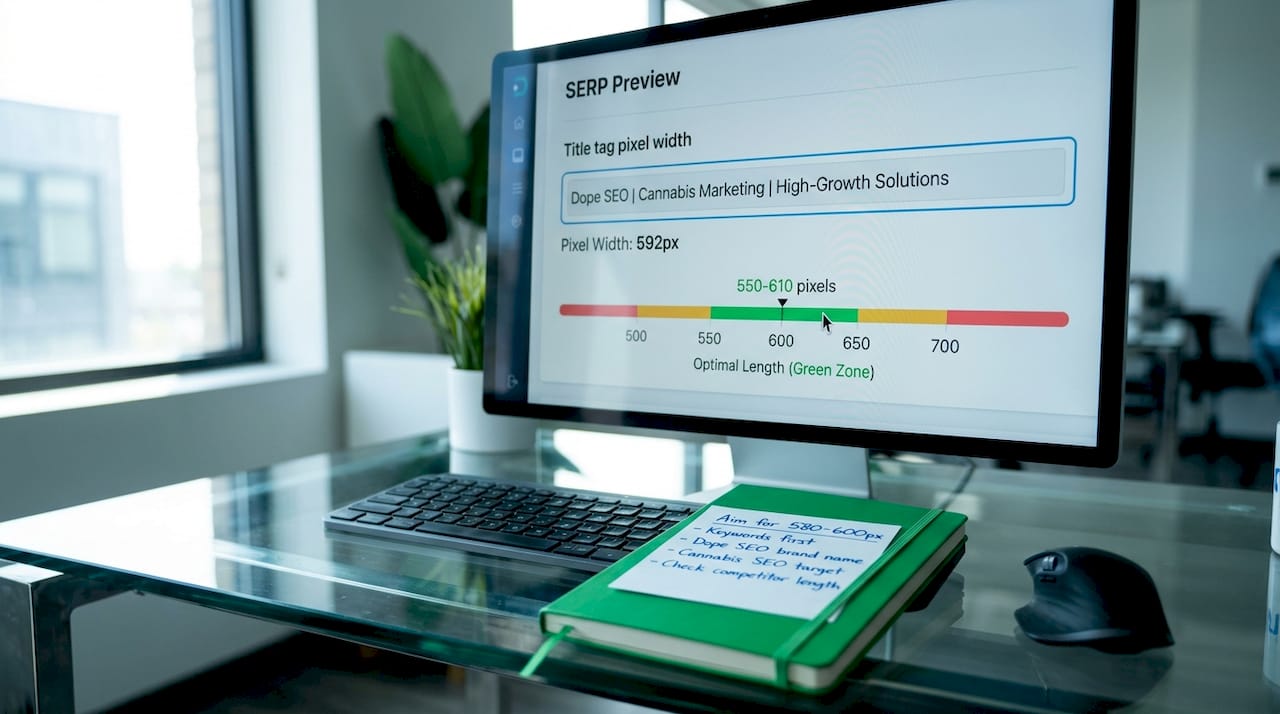
Google measures title tag length in pixels, not characters. The optimal display width is approximately 580 pixels, which translates to roughly 50 to 60 characters depending on the letters used. This distinction matters because a capital “W” consumes nearly three times the horizontal space of a lowercase “i.” A title with 55 characters built from wide letters like “W,” “M,” and “G” can truncate earlier than a 60-character title built from narrow letters like “i,” “l,” and “t.”
Google displays titles up to approximately 550 to 575 pixels on desktop and fewer pixels on mobile, so optimizing for desktop pixel limits covers most use cases. Relying on a fixed character count rule will occasionally mislead you.
Pro Tip: Use a SERP preview tool like Portent’s Content Idea Generator or Yoast’s built-in snippet editor to check actual pixel width before publishing. This is a conversion rate optimization technique most SEO teams skip entirely.
Watch for these common length mistakes:
Placing your primary keyword near the beginning of the title tag signals the page topic clearly to Google and increases the likelihood a user clicks. This is not a suggestion. Yoast, Semrush, and Conductor all confirm that front-loaded keywords outperform titles where the keyword appears mid-sentence or at the end.
Search intent alignment is equally critical. Matching the intent behind a search query with the format of your title tag, whether that is a question, a list, or a how-to, produces higher relevance scores and better click-through rates. A user searching “how to open a dispensary” expects a title that mirrors that format, not a generic brand statement.
Pro Tip: Before writing a title, search your target keyword and study the top five results. If four of them use “How to” phrasing, that format is winning for a reason. Match it or beat it.
Key rules for keyword placement:
Google rewrites over 61% of all title tags, primarily because of length issues, keyword stuffing, or a mismatch between the title and the actual page content. That statistic means the majority of title tags you write today are being replaced by something Google chose instead. The fix is straightforward once you understand what triggers rewrites.
The most effective single action is aligning your title tag with your H1 heading. Title-to-H1 alignment drops the rewrite rate from 61.6% overall to just 20.6%, a reduction of roughly 40 percentage points. Your title and H1 do not need to be identical, but they should describe the same topic with similar language.
Google’s rewriting behavior is a candidate selection process. When your meta title is suboptimal, Google scans the page for a better string, pulling from your H1, anchor text, or other visible content. One documented cause of inconsistent rewrites is extra text nested in JSX elements or improperly structured H1 tags that create competing candidate strings in the rendered HTML.
Here is a comparison of formatting choices that affect rewrite rates:
| Element | Safer choice | Riskier choice | Why it matters |
|---|---|---|---|
| Separator character | Dash ( – ) | Pipe ( | ) |
| Modifier brackets | Parentheses ( ) | Square brackets ] | Brackets trigger rewrites [77.6% of the time |
| Title-to-H1 match | Closely aligned | Completely different | Alignment cuts rewrite rate by ~40 points |
| Duplicate titles | Unique per page | Boilerplate across pages | Duplicate titles confuse search engines and reduce SEO clarity |
Additional practices that prevent rewrites:
Numbers in title tags produce measurable results. Using numbers in titles increases click-through rates by 15 to 40%, with odd and specific numbers performing best. “7 Title Tag Fixes” outperforms “Several Title Tag Fixes” every time because specificity signals credibility and sets clear expectations.
Shorter titles around 30 to 40 characters can stand out when every competitor is using full-length titles. This is an emerging 2026 consideration worth testing, particularly in crowded SERPs where visual differentiation matters.
Pro Tip: Place your brand name at the end of the title, not the beginning, unless brand recognition is your primary goal. For most pages, the keyword and value proposition earn the click. The brand name is a trust signal, not the hook.
Follow these formatting principles to improve CTR:
Effective title tag optimization requires pixel-width awareness, front-loaded keywords, H1 alignment, and format choices that reduce Google rewrites while increasing user clicks.
| Point | Details |
|---|---|
| Pixel width over character count | Target 580 pixels using a SERP preview tool, not a fixed character limit. |
| Front-load your primary keyword | Place the focus keyword near the start to signal topic relevance to Google and users. |
| Align title with H1 | Matching your title to your H1 reduces Google’s rewrite rate from 61.6% to 20.6%. |
| Use dashes over pipes | Dashes are removed only 19.7% of the time vs. 41% for pipes as separators. |
| Test with Search Console | Use Google Search Console click data to identify and refine underperforming titles. |
After auditing title tags across cannabis dispensary sites, law firm pages, and eCommerce catalogs, one pattern stands out clearly. Most title tag problems are not technical. They are strategic. Site owners write titles for themselves, not for the person typing a query at 11pm on a phone.
The most common mistake I see is treating the title tag as a label rather than a headline. A label says what a page is. A headline makes someone want to read it. “Cannabis Edibles” is a label. “Best Cannabis Edibles for Sleep in 2026” is a headline. Both describe the same page. Only one earns the click.
The second thing I have learned is that A/B testing title tags with Google Search Console data is one of the highest-return activities in SEO, and almost nobody does it consistently. You do not need a sophisticated tool. Change one title, wait three to four weeks, and compare impressions and CTR in Search Console. That is it. The data tells you exactly what to do next.
Title tags are also becoming more important for AI search systems. Title tags signal page topic to AI discovery channels like Perplexity and ChatGPT, not just traditional search engines. A clear, specific title increases the probability your content gets cited in AI-generated answers. That is a channel most cannabis marketers are not thinking about yet, and it is worth getting ahead of.
— Max
If you run a dispensary, a cannabis law firm, or any plant-touching business, title tag optimization is one piece of a larger SEO puzzle that requires industry-specific knowledge. Generic SEO advice does not account for platform restrictions, regulatory language requirements, or the competitive dynamics of local cannabis markets.

Dopeseo specializes in cannabis content optimization that goes beyond surface-level fixes. From title tag and meta description audits to full on-page SEO strategies built for dispensaries and ancillary cannabis businesses, Dopeseo delivers results in a space where most agencies will not operate. If you want a complete picture of what effective cannabis marketing looks like, the cannabis marketing guide on the Dopeseo site is the right starting point.
The ideal title tag length is 50 to 60 characters, which corresponds to approximately 580 pixels. Google measures display width in pixels, so use a SERP preview tool rather than a character counter for accurate results.
Google rewrites title tags when they are too long, keyword-stuffed, or mismatched with the page content. Aligning your title tag closely with your H1 heading reduces the rewrite rate from 61.6% to around 20.6%.
Place the primary keyword as close to the beginning of the title as readability allows. Front-loaded keywords signal topic relevance to Google and increase the likelihood of a user click.
Yes. Numbers in titles increase click-through rates by 15 to 40%, with odd and specific numbers performing best. “11 Dispensary SEO Tips” consistently outperforms “Dispensary SEO Tips” in head-to-head comparisons.
Use dashes. Google removes pipes 41% of the time and dashes only 19.7% of the time. Dashes are also more readable and less likely to trigger a title rewrite.

© 2026 Curious Monkeys Pressing Buttons LLC DBA Cannabiz Marketing Solutions AKA DopeSEO. All rights reserved.