
TL;DR:
- Cannabis dispensaries face strict Google Business Profile restrictions, requiring careful compliance to avoid suspension.
- Completing and verifying a detailed GBP profile with accurate info and photos improves local rankings.
- Managing reviews and Q&A effectively boosts reputation and visibility while complying with policies.
Running a cannabis dispensary means competing for attention in one of the most tightly regulated local search environments online. Your Google Business Profile (GBP), formerly called Google My Business or GMB, acts as your digital storefront, and most nearby customers will find you through it before they ever visit your website. The challenge is that GBP restrictions for cannabis stores are far stricter than for most other businesses, limiting what you can post, promote, and claim. Get it wrong and you risk suspension. Get it right and you dominate the local map pack. This guide covers exactly how to do that.
| Point | Details |
|---|---|
| Know GBP restrictions | Cannabis dispensaries must avoid posts, promotions, and health claims to stay compliant with Google policies. |
| Complete your profile | Accurate, thorough GBP profiles build trust and boost local search visibility. |
| Proper use of photos | Share only compliant images and select relevant categories to stand out locally. |
| Grow reputation responsibly | Respond to reviews and manage Q&A according to Google’s rules to strengthen credibility. |
| Sustainable optimization | Consistent compliance and profile audits deliver lasting visibility gains for dispensaries. |
Before you optimize anything, you need a clear picture of what Google allows and what it does not. Cannabis dispensaries fall under GBP’s restricted content category, and that comes with real consequences for your profile if you step out of bounds.
Google prohibits posts, offers, pricing, or health claims for cannabis dispensaries on their GBP listings, and violations may lead to immediate suspension. That means no promotional Google Posts advertising your daily deals, no pricing menus, no claims that a product relieves anxiety or pain, and nothing that could be interpreted as targeting minors.
Here is a quick breakdown of what triggers suspensions most often:
Suspension is not just an inconvenience. When your GBP listing goes dark, you lose map pack placement, phone calls, direction requests, and the trust signals that come with a verified listing. Recovery is possible, but it takes time, documentation, and patience. You can learn more about navigating that process through Google Maps suspension recovery resources built specifically for dispensaries.
“Compliance is not the ceiling of your optimization strategy. It is the floor everything else is built on.”
Pro Tip: Set a monthly calendar reminder to review your GBP profile for any outdated information or community-submitted edits that may have introduced non-compliant content without your knowledge.
Understanding these guardrails is actually freeing. Once you know the boundaries, you can focus your energy on the dispensary GMB strategies that are fully allowed and genuinely move the needle. With the stakes and constraints understood, let’s explore practical optimizations you can actually implement.
Once compliance is clear, building a trustworthy and robust profile is next. A fully populated GBP listing consistently outperforms a sparse one in local rankings, and complete, accurate business information is one of the clearest signals Google uses to evaluate trust and relevance.
Here is a step-by-step approach to getting your profile fully built out:
Verification is often where dispensaries hit roadblocks. Google may flag cannabis-related businesses for additional review, so expect some back-and-forth. Document everything and be responsive.
Pro Tip: After verification, revisit your profile every 30 days. Google users can suggest edits to your listing, and those edits can go live without your approval. Stay ahead of it.
Beyond the basics, use advanced fields to strengthen your listing. The GBP importance for dispensaries goes beyond just being listed. Attributes like “wheelchair accessible,” “identifies as women-owned,” or “LGBTQ+ friendly” communicate your values and attract specific audiences searching with those filters.
| Profile field | Impact on local ranking | Required? |
|---|---|---|
| Business name | High | Yes |
| Address and phone | High | Yes |
| Business hours | Medium | Yes |
| Website link | High | Yes |
| Photos | Medium | Recommended |
| Attributes | Medium | Optional |
| Business description | Low to medium | Recommended |
For dispensary local SEO tips that go beyond GBP, pairing your profile work with on-site optimization creates a compounding effect on local visibility.
With your core profile ready, you can strategically enhance its appeal and search positioning. Photos, categories, and attributes are three of the most underused tools in a dispensary’s GBP toolkit, and they are all fully compliant when done correctly.
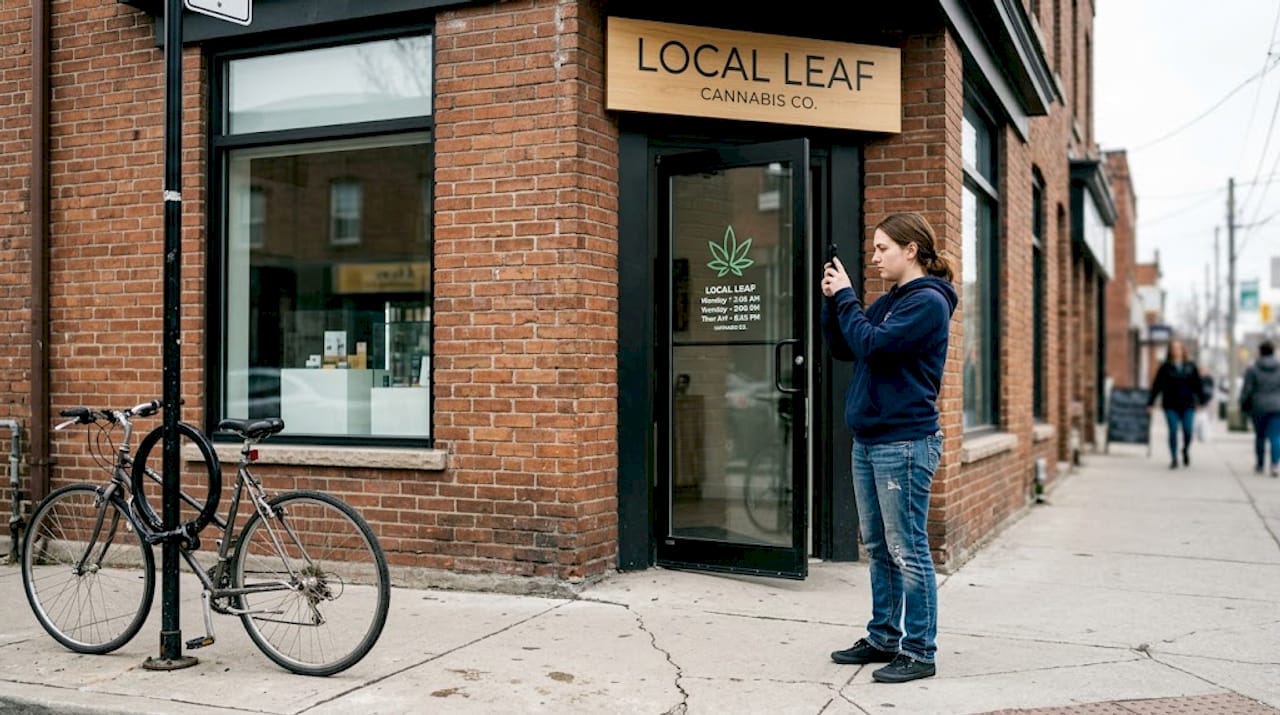
Google confirms that photos and categories improve search relevance, but all images must comply with GBP content guidelines. For dispensaries, that means no visible cannabis products in ways that glamorize use, no pricing, and no imagery targeting minors.
Here is what works well within those rules:
For categories, accuracy matters more than quantity. Your primary category should be “Cannabis Store” if you operate a retail dispensary. Secondary categories like “Alternative Medicine Practitioner” or “Herb Shop” may apply depending on your state’s license type, but adding irrelevant categories just to cast a wider net can trigger a review flag.
Pro Tip: Google regularly updates its category options. Check your category selection quarterly to make sure you are using the most current and relevant options available.
| Photo type | Engagement impact | Compliance risk |
|---|---|---|
| Exterior storefront | High | Low |
| Interior environment | High | Low |
| Staff portraits | Medium | Low |
| Product close-ups | Low to medium | High |
| Branded graphics | Medium | Low |
Attributes are equally powerful for dispensary Google Maps optimization. Customers searching “dispensary near me open now” or “curbside pickup dispensary” rely on attributes to filter results. If your attributes are incomplete, you are invisible to those searchers. Explore what boosting Maps ranking looks like when attributes are fully leveraged.
After optimizing your static profile elements, elevating your dispensary’s reputation sets you apart. Reviews are among the most influential ranking factors in local search, and responding to reviews and managing Q&A directly increases credibility and engagement on your GBP listing.
Here is how to build a strong review presence while staying compliant:
“Your worst reviews, handled well, can be more persuasive than your best ones left unanswered.”
The Q&A section is often ignored but incredibly valuable. Customers and anyone else on Google can post questions directly to your listing. If you do not answer them, someone else might, and their answers may be inaccurate.
Best practices for Q&A management:
For a deeper look at how reputation connects to rankings, explore the local rankings guide built specifically for cannabis brands. And if you want to see how Google Maps for cannabis brands functions as a full visibility system, the picture gets even clearer when reviews and profile data work together.
Here is what years of working with cannabis dispensaries have taught us: the businesses that try to game GBP almost always lose, and the ones that commit to clean, consistent optimization consistently win.
We have seen dispensaries suspended for things as minor as a single Google Post that mentioned a product discount. Recovery took weeks and cost thousands in lost foot traffic. The shortcuts that seem tempting, like buying reviews, keyword-stuffing the business name field, or uploading product-heavy images, create fragile growth. One policy update or a competitor flagging your listing can erase all of it overnight.
Sustainable visibility comes from treating your GBP profile like a living asset. That means monthly audits, responding to every review within 48 hours, keeping hours accurate through every holiday, and never testing Google’s content policies for cannabis stores.
Our honest advice: resist the urge to do anything on GBP that you would not want a Google reviewer reading. If a tactic feels borderline, it probably is. Build your strategic GBP compliance foundation first, and the ranking rewards follow naturally and durably.
Implementing everything in this guide takes time, attention to detail, and a clear understanding of what Google allows for cannabis businesses. That is exactly where Dope SEO comes in.
We work exclusively with cannabis and hemp businesses, so we know the rules, the risks, and the fastest compliant paths to local visibility. Whether you are starting from scratch or recovering from a suspension, our team builds GBP strategies that hold up. Start with our cannabis SEO basics guide to understand the full picture, then explore proven cannabis marketing strategies that go beyond Google alone. For a structured approach to winning in your market, our local search workflow guide walks you through every step.
Cannabis dispensaries cannot post offers, promotions, or health claims on their GBP listings, and violations can lead to listing suspension with a lengthy reinstatement process.
Properly managed reviews boost both local search ranking and consumer trust, as long as they are gathered without incentives and responded to within Google’s content guidelines for cannabis businesses.
A complete, verified profile with accurate business name, address, hours, categories, attributes, and quality photos gives Google the signals it needs to rank your dispensary in local results.
Follow Google’s reinstatement process by correcting all policy violations, submitting a reinstatement request with supporting documentation, and committing to full compliance going forward to avoid repeat suspensions.

© 2026 Curious Monkeys Pressing Buttons LLC DBA Cannabiz Marketing Solutions AKA DopeSEO. All rights reserved.